Account & Plans
Sign up and log in
PicGo Cloud supports the following login methods:
- GitHub OAuth
- Google OAuth
You can log in from:
- Web portal: visit cloud.picgo.app and click Log in.
- GUI app: on the PicGo Cloud page, click "Log in" — a browser window opens for OAuth, and you're redirected back once done. See PicGo Cloud in the GUI app for details.
Account overview
After logging in to cloud.picgo.app, the Overview page shows:
- Storage usage (used / limit)
- File count (used / limit)
- Current plan name and expiration date
- Quick action shortcuts
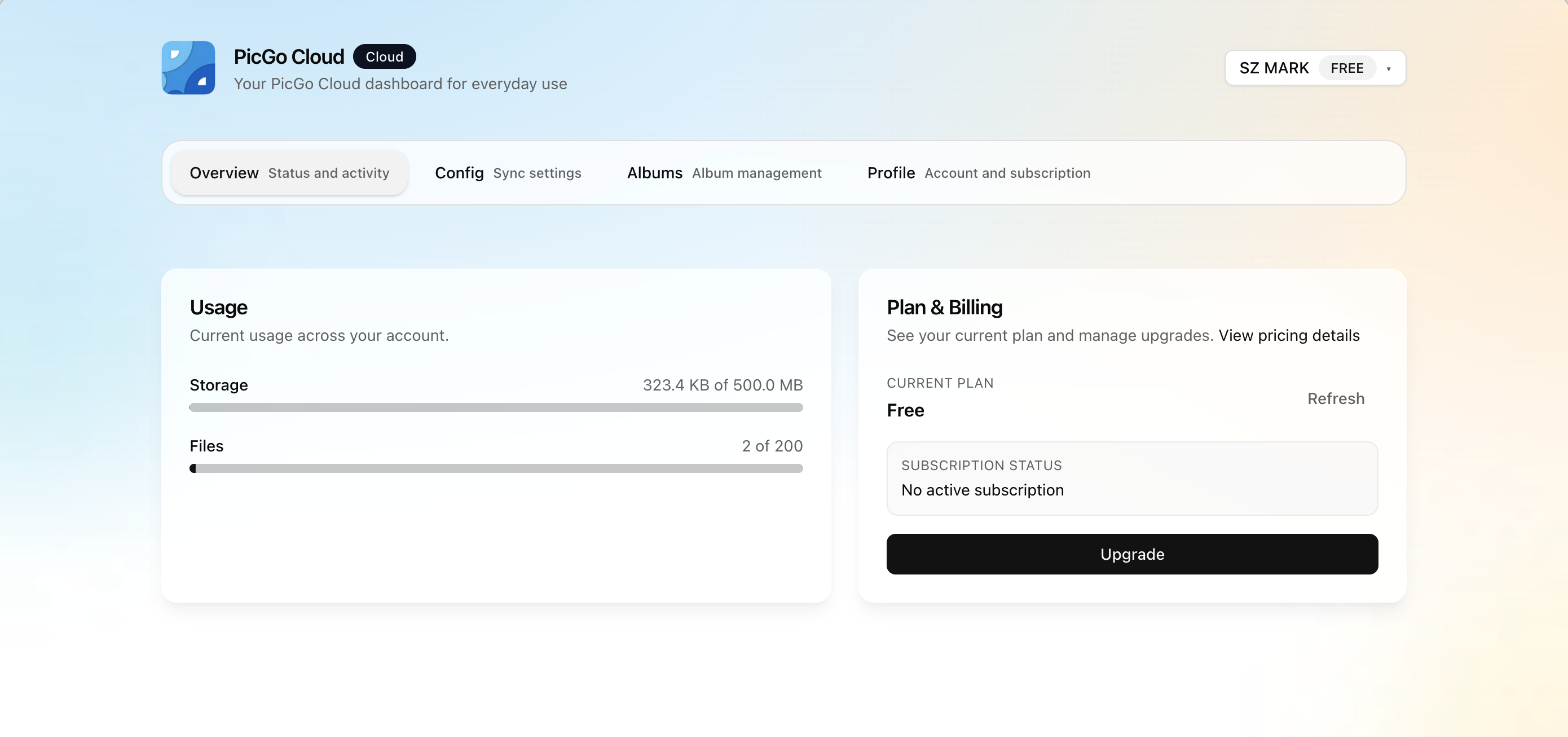
You can also check your plan and usage from the GUI app. See PicGo Cloud in the GUI app.
Plan comparison
PicGo Cloud offers four plans. For current pricing, visit picgo.app/pricing. For upgrade, downgrade, and billing rules, see Billing & Subscription.
Storage & Files
| Free | Starter | Pro | Max | |
|---|---|---|---|---|
| Max file items | 200 | 10,000 | 100,000 | Unlimited |
| Total storage | 500 MB | 10 GB | 100 GB | 1 TB |
| Max file size | 10 MB | 32 MB | 100 MB | 1 GB |
| Upload rate limit | 10/min and 30/hour | 120/min | 180/min | 300/min |
Advanced Features
| Free | Starter | Pro | Max | |
|---|---|---|---|---|
| Custom domain | — | ✓ | ✓ | ✓ |
Configuration
| Free | Starter | Pro | Max | |
|---|---|---|---|---|
| Config sync history versions | 3 | 10 | 50 | 100 |
| Config sync | ✓ | ✓ | ✓ | ✓ |
| End-to-end encryption (E2EE) | ✓ | ✓ | ✓ | ✓ |
Support
| Free | Starter | Pro | Max | |
|---|---|---|---|---|
| Community support | ✓ | ✓ | ✓ | ✓ |
| Priority support | — | ✓ | ✓ | ✓ |